
While vibe coding tools for technical folks exist, most are built for beginners with little to no coding experience.
The proposition is the same: Build entire apps effortlessly by spamming AI prompts.

This makes the user completely reliant on the AI agent under the hood, and to find out which ones are worth using, we tested 10 popular vibe coding tools using the same prompt and compared results based on:
- Prompt accuracy
- Design aesthetics
- Value for money
- Code quality
Click here to skip to the platform rankings, but we encourage reading on to understand the methodology behind our testing and scoring.
Our Methodology
We kept things as simple as possible, and there are just three key parts to this:
- Tool selection
- Prompt
- Scoring system
The Vibe Coding Tools Tested
For this comparison, we focused on beginner-friendly vibe coding tools that allow users to build applications primarily through AI prompts.
The platforms tested were:
With the exception of DreamFlow, most of these platforms encourage users to rely almost entirely on AI prompting instead of manual coding.
The list also includes a mix of:
- Established names like Replit and Lovable
- Newer tools like Mocha and Floot
This makes it easier to see how new entrants compare against well-known platforms.
Our Prompt
Ultimately, we decided on the following prompt (including specific requirements):
Generate a production-ready SaaS task management web application.
Requirements:
- Email/password authentication
- Dashboard showing tasks grouped by status (todo, in progress, done)
- Ability to create, edit, and delete tasks
- Task fields: title, description, priority, due date
- Relational database schema
- Responsive UI with modern styling
- Backend API routes for CRUD operations
- Optimistic UI updates
- Error handling and loading states
- Full project structure with key code files
Provide the following:
- Architecture explanation
- Database schema
- Frontend components
- Backend routes
- Styling approach
- Deployment instructions
As we’re a B2B software development agency, we wanted a B2B use case so we could provide more detailed instructions and evaluate the results more accurately.
We let the platforms generate the app and evaluated the first version produced.
This doesn’t showcase every capability of each platform, but it ensures a fair head-to-head comparison.
Scoring System
Each platform was evaluated across four metrics, each worth 10 points.
| Metric | Description |
|---|---|
| Prompt accuracy | How closely the app followed the instructions |
| Design aesthetics | UI quality and usability |
| Value for money | Cost of AI tokens used |
| Code quality | Security and maintainability of the code |
Maximum score: 40 points
Design ratings are subjective but this is our list!
Our Vibe Coding Tool Ranking
Before diving into the list, let’s clarify it doesn’t mean the lower-scoring tools are bad choices.
But it does mean others delivered better immediate results in our test.
And we think it’s a fair way to compare them, since they all market themselves as tools that allow beginners to build with equally low effort.
Note: We link to our published app in each tool where possible, but a few don’t allow it on a free plan so we just show screenshots of those!
10. Floot (14 / 40)
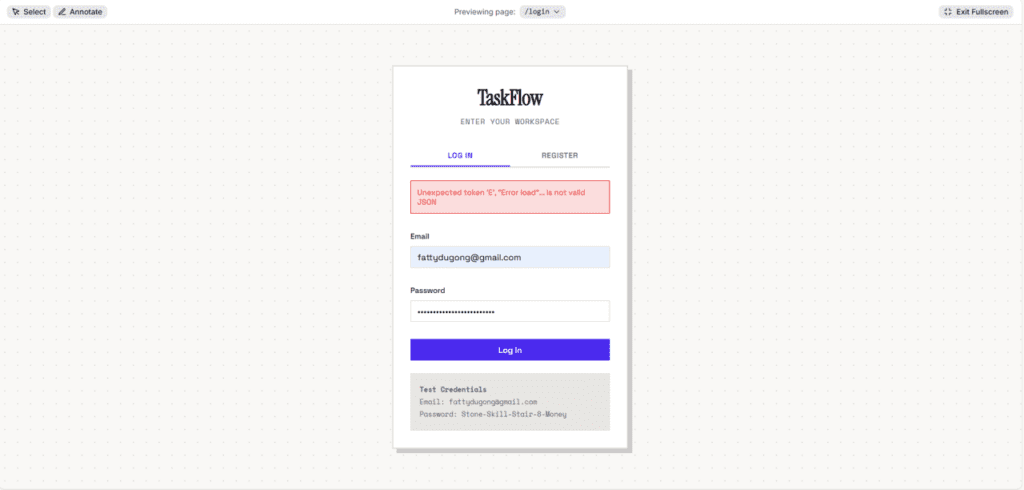
We included Floot because multiple Reddit discussions suggested it was surprisingly good, but unfortunately, it was the only platform that generated a broken application on the first attempt.
Even ignoring the bugs, the UI looked dated and outdated compared to the other tools.
Because the app didn’t function properly, Floot had to take the lowest spot in the ranking.
9. UI Bakery (16 / 40)
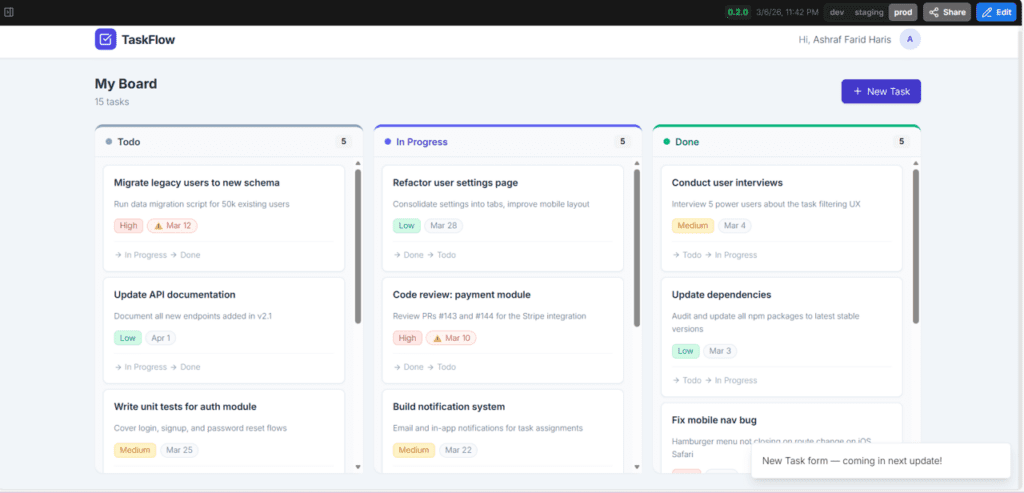
UI Bakery performed better than Floot because the app at least worked.
The design was fairly clean, but most of the requested features were missing, and ironically, the generated UI included a notification saying some features were “coming soon.”
At that point, it would have been more helpful if the AI simply built those features!
8. v0 (19 / 40)
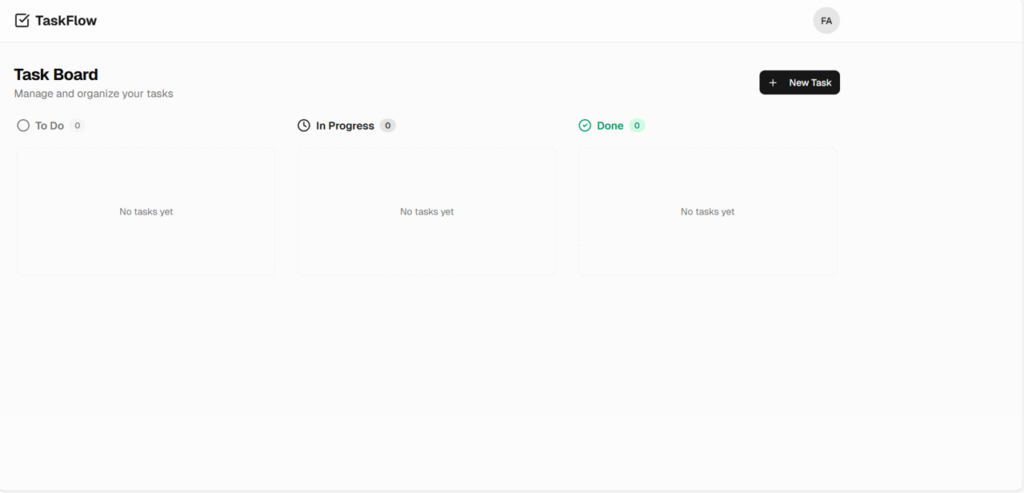
Like Floot, v0 showed product thinking as instead of just building the app, it generated a full marketing landing page with:
- hero section
- headline
- dual call-to-action buttons
However, the actual app UI was extremely minimal to the point of looking unfinished, and the interface felt closer to a wireframe prototype than a finished application.
7. Bolt (22 / 40)
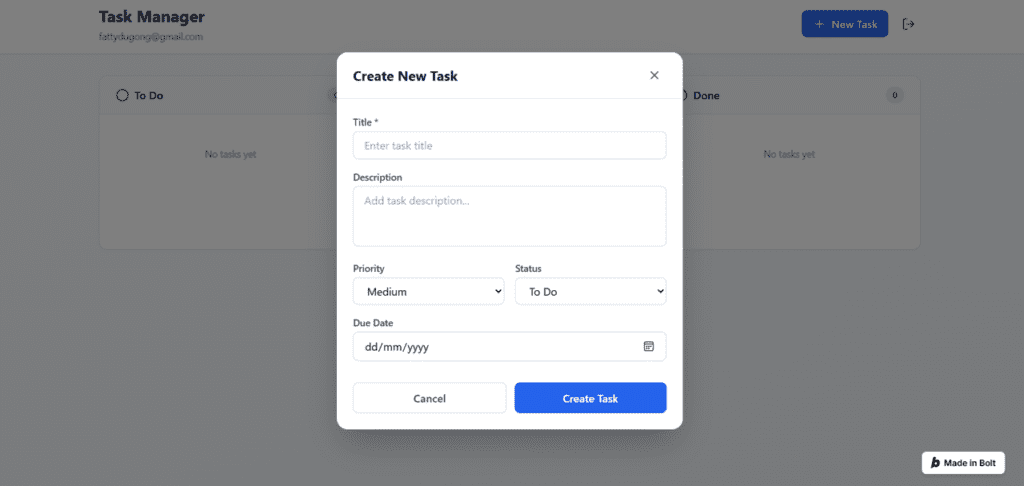
Bolt is heavily advertised as an all-in-one AI coding environment, so expectations were high.
The result was decent but somewhat underwhelming, and issues included:
- missing search functionality
- error icons appearing before input
- UI that felt slightly outdated
Considering Bolt costs $25 per month, several cheaper tools performed just as well or better.
6. DreamFlow (24 / 40)
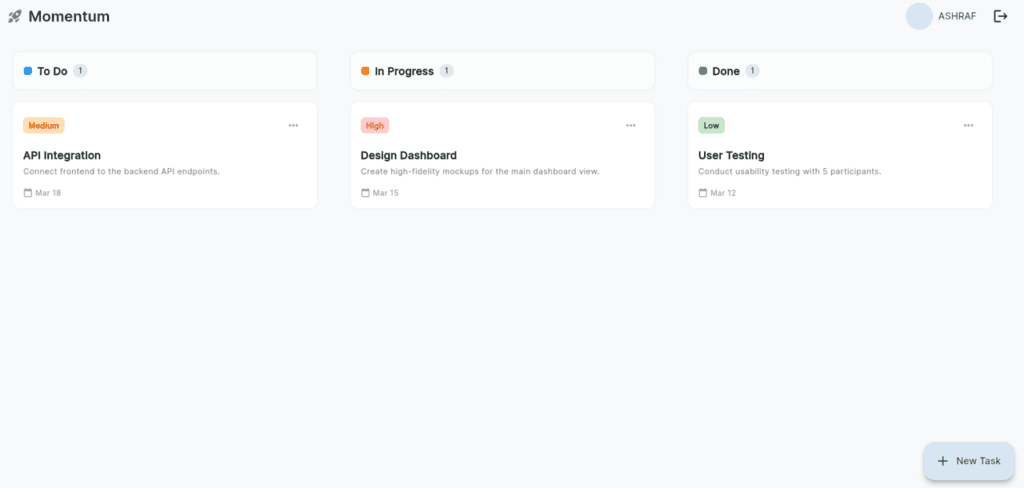
DreamFlow delivered a solid all-round result. Its dark mode interface was particularly strong, with consistent styling across:
- login screen
- dashboard
- task editing modals
Priority badges were color coded, dates displayed properly, and overall the feature set wasn’t groundbreaking but worked reliably.
It had a distinctly mobile-ish looking UI, but it’s mobile-app focused so we won’t make too much of a fuss.
See our deep dive review of DreamFlow here to see why we like it so much!
5. Mocha (24 / 40)
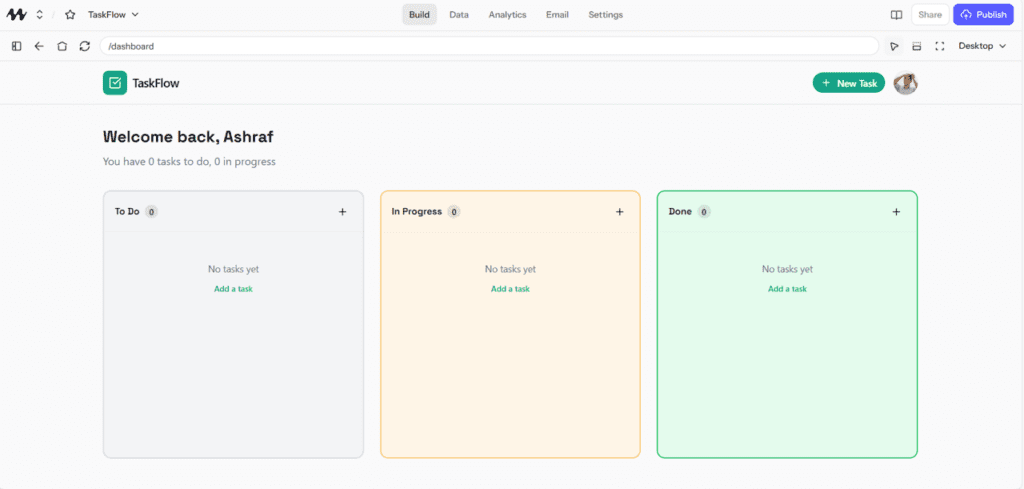
Mocha is a lesser-known vibe coding platform that receives a lot of praise in online communities.
In testing, it performed relatively well compared to more established names as the app included:
- functional task management features
- decent UI design
- reasonably structured code
Mocha didn’t introduce anything revolutionary, but it delivered reliable results with good token efficiency.
4. Lovable (26 / 40)
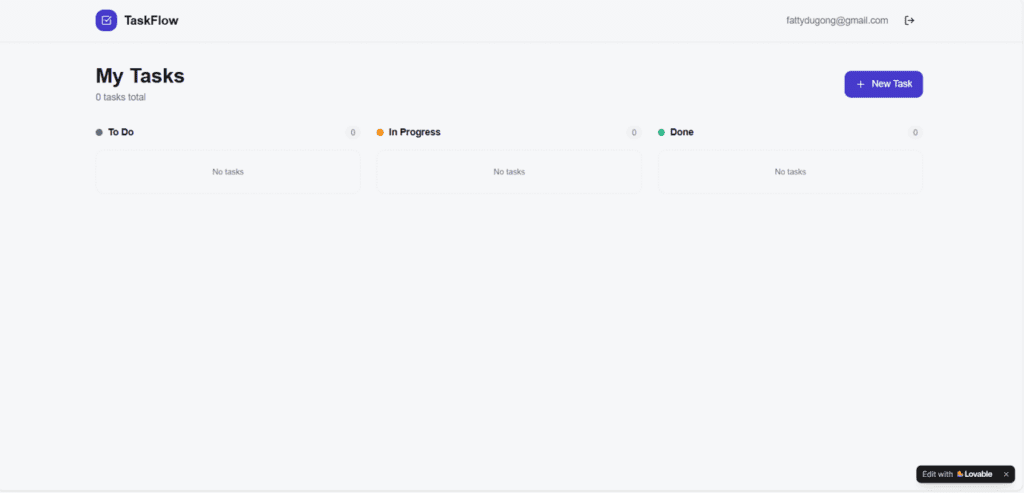
Lovable generated a surprisingly robust backend and although the UI looked fairly simple, it implemented real email verification rather than a simulated login system.
This means the underlying infrastructure was stronger than many other tools.
For beginners, fixing design issues is often easier than fixing architecture, so Lovable’s backend approach gives it a clear advantage.
3. Base44 (26 / 40)
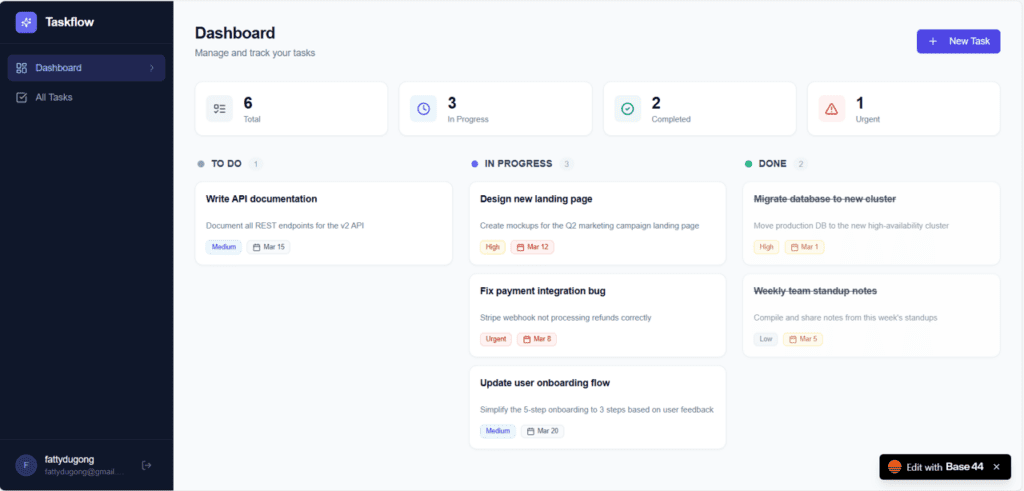
This was our first time testing Base44, and the results were impressive.
By far, it delivered the best feature-to-prompt ratio and the generated application included:
- Kanban and list views
- Google SSO
- OTP verification
- colour-coded priority badges
Many tools delivered only the requested features but Base44 delivered several extra features without being asked on top of an extremely modern and attractive UI.
2. Replit (27 / 40)
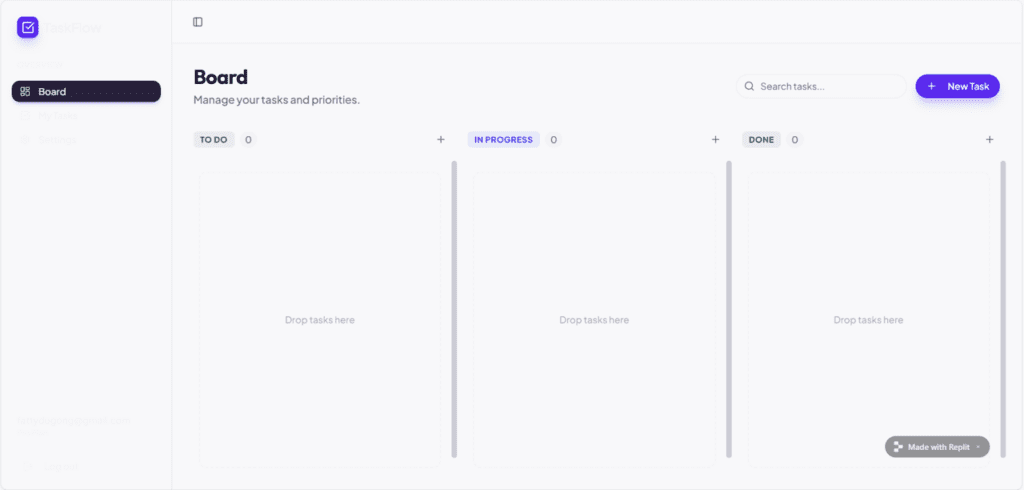
Replit produced a strong first draft and its light-mode interface featured a split-screen login layout with:
- marketing panel on the left
- clean login form on the right
Key task management features such as:
- search
- editing
- deletion
- task metadata
all worked correctly.
Overall, Replit delivered a well-designed and functional application – the font colors blending in are unfortunate, but an easy enough fix. Too bad Agent 3 didn’t work its magic the way it did in our dedicated Replit review.
1. Rocket (35.5 / 40)
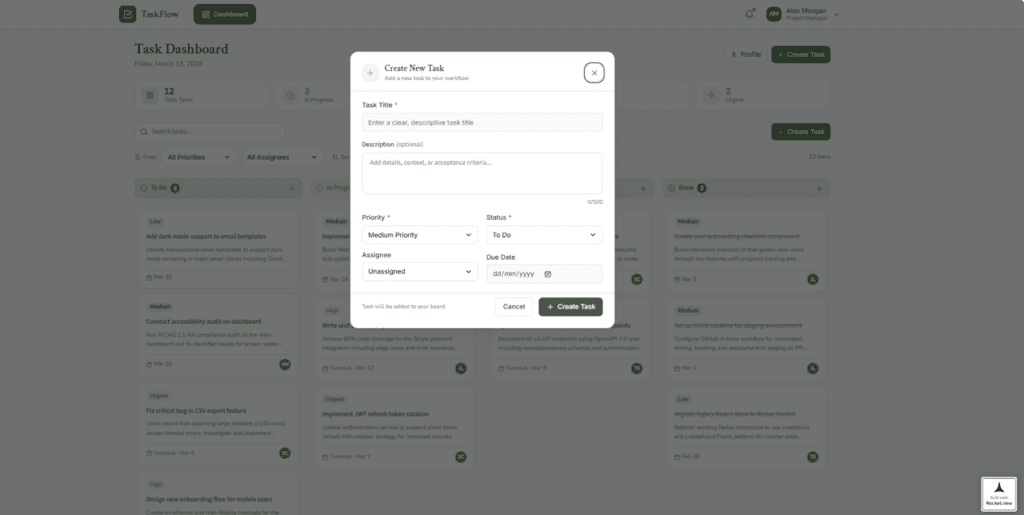
Rocket easily took the top spot, generating an app with a wide range of features many of which were not even requested in the prompt:
- drag-and-drop task management
- four status columns including “In Review”
- statistics bar
- filters
- overdue indicators
- full task editing interface with activity logs
- demo login credentials
The UI may not be as modern as the others, but it was still attractive, intuitive, and production-ready.
At $25/month tool, Rocket is on the higher side but produced the most complete application by far.
Token Usage Comparison
Non-tech friendly vibe coding tools encourage heavily relying on AI prompting, which means heavy token use.
In general, platforms are similarly priced but offer very different token allocations, making it hard to determine cost-effectiveness.
For example:
| Tool | Monthly Price | Token Allocation |
|---|---|---|
| Base44 | $25 | 100 tokens |
| Rocket | $25 | 5 million tokens |
| UI Bakery | $25 | Not disclosed |
To measure cost efficiency, we calculated how many tokens each platform used to generate the app and estimated the real cost of that generation.
Here’s how much the prompt cost across different platforms.
| Tool | Plan | Included Tokens | Token Usage | Estimated Cost |
|---|---|---|---|---|
| Rocket | $25 | 5M tokens | 74.6k | $0.37 |
| Lovable | $25 | 100 tokens/month + daily credits | 3.6 | $0.90 |
| Mocha | $20 | 1.5k tokens | 48 | $0.64 |
| Replit | $20 | Not specified | — | $0.90 |
| Bolt | $25 | 10M tokens | 258k | $0.65 |
| Floot | $25 | 25k tokens | 913 | $0.91 |
| DreamFlow | $20 | 100 credits | 4.89 | $0.98 |
| Base44 | $25 | 100 tokens | 5 | $1.25 |
| v0 | $20 | Not specified | — | N/A |
| UI Bakery | $25 | Not specified | 240k | N/A |
Rocket not only delivered the best application, but also the lowest cost per generation!
Code Quality
Interestingly, all tools scored almost the same on code quality.
| Tool | Code Quality Score |
|---|---|
| Rocket | 6 |
| Lovable | 6 |
| Mocha | 6 |
| Replit | 6 |
| Bolt | 6 |
| Floot | 6 |
| DreamFlow | 6 |
| Base44 | 6 |
| v0 | 6 |
| UI Bakery | 6 |
Common issues included:
- exposed passwords
- poor token storage practices
- potential crashes from invalid input
These are easy to fix for prototypes, but production apps would require additional security work.
Final Thoughts
While most vibe coding platforms offer similar capabilities, the differences in detail with usability, token efficiency, and generated features are huge.
Based on this test, Rocket produced the best overall app AND at the most cost-effective price.
We hope this has helped, and we wish you all the best with your vibe coding journey!
If you have a custom software project that needs rescuing, get in touch and we’d be happy to help! Also, consider joining our mailing list for a one-stop resource on everything from SaaS validation to execution and promotion. Get a nifty list of questions to ask app developers when you sign up!
App Developer Interview Questions Template
Download this template now so you know exactly what to ask App Development Agencies! Let us know where should we send it through the form below.